DMV Written Exam Practice App
Epic Apps StudioAuto & Vehicles
4.7100.00 Reviews
- Version
- 3.0
- Installs
- 100.00K
- Age Rating
- Everyone
Screenshots
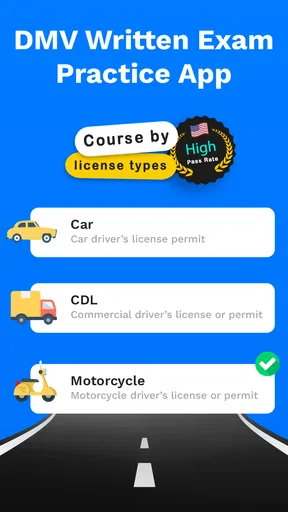
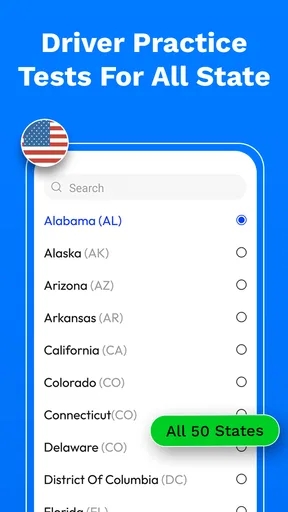
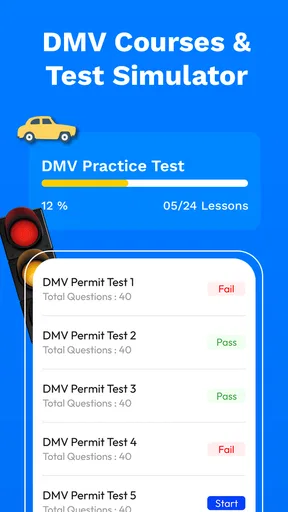
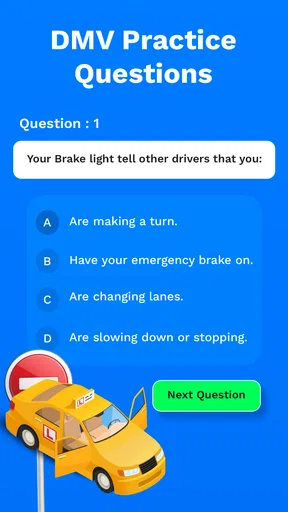
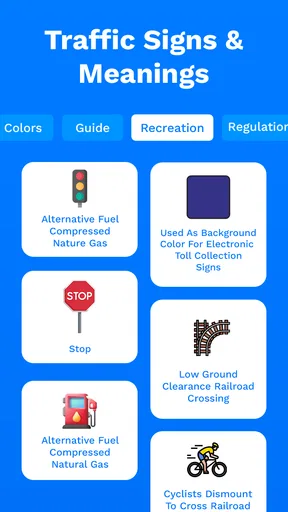
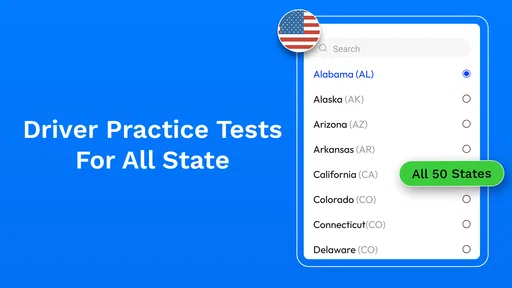
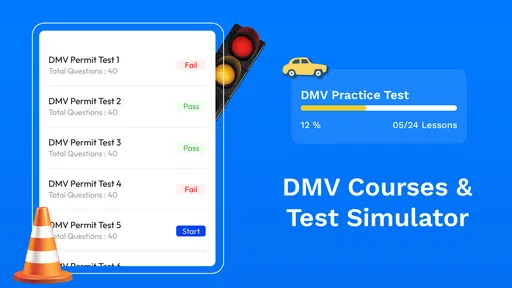
Our Review of DMV Written Exam Practice App
 Analysis by Appyee
I tested DMV Written Exam Practice App as a study companion for people preparing for a learner’s permit exam, and its strongest quality is its straightforward purpose. It is not trying to be a full driving school, a navigation tool, or a replacement for an official handbook. Instead, it gives you a focused way to rehearse the kind of knowledge you need before sitting a written test. That narrow focus makes it especially practical in a household where one phone or tablet may be shared between several people at different stages of learning.
The app comes from Epic Apps Studio and sits in the Auto & Vehicles category. It is free to install, with optional in-app purchases priced at $5.49 per item. Its audience is broad: the content rating is Everyone, while the subject itself is most relevant to teenagers and adults working toward a driving permit. I found that distinction useful. The app is suitable for a shared family device from an age-rating perspective, but the actual value depends on whether each learner is studying the rules for the correct state.
How the app works in a real household
When several people in a household are preparing for permit exams, I’d treat the app as a shared practice station rather than assuming it will keep everyone’s progress separate. A quick handoff can make spare moments useful, while a small personal mistake log helps each learner track what they still need to review. That setup also makes it easier to decide when a question calls for a closer look at the right state handbook.
A practical shared-device study routine
Imagine a parent leaving a phone on the kitchen counter while two siblings prepare for their written exams. One learner can open the app during a short break, answer a group of questions, and hand the device to the next person. The second learner can then work through the same material independently rather than relying on the first person’s answers. That makes the app more useful than a printed sheet left in a drawer, because it supports quick, repeatable practice whenever someone has a few spare minutes.
I would use it in short sessions rather than treating it like a long evening course. A learner might practice after dinner, review mistakes before school, and then return to the same topic later. This rhythm helps expose weak areas without making the process feel like another full class. It also suits shared-device use because nobody needs to reserve the phone for an extended period.
There is an important household trade-off, though. A shared screen is convenient, but it does not automatically create separate learner profiles or personal progress boundaries. I would not assume that one person’s results, history, or study position can be cleanly separated from another’s. If several people use the same device, each learner should agree on a simple routine, such as writing down the date, topic, and questions missed after every session. That small habit prevents one person from mistaking another person’s progress for their own.
This is one of the less obvious ways to get more from the app: use it as a discussion tool, not just a quiz screen. When two family members disagree about an answer, they can pause and check the relevant section in the official state handbook. That turns a wrong answer into a useful conversation about wording, exceptions, and local rules. The app is best at prompting recall; the handbook remains the better authority when a question needs careful interpretation.
Setting the right boundaries before studying
The first boundary I would establish is the learner’s state. DMV rules are not identical everywhere, so a person preparing in one state should not casually treat practice material for another state as interchangeable. Before building confidence from repeated scores, confirm that the questions match the jurisdiction where the exam will be taken. This matters more than a high practice result, because memorizing a general rule is not enough when local signs, penalties, or procedures differ.
I would also make clear what the app can and cannot do. It can help rehearse written knowledge, but it cannot teach steering, observation, lane positioning, parking, or judgment in live traffic. A learner who performs well here may still need supervised driving practice and instruction from a qualified adult. In my view, the safest workflow is to pair each study session with a small amount of handbook reading and real-world observation from the passenger seat.
The app supports devices running Android 7.0 or later, which makes it accessible on many older phones that families may keep as shared study devices. That is helpful if the newest handset belongs to a parent and an older device is available for the learner. Still, I would test the app on the actual household device before planning a group study schedule. Comfort matters: a small screen, a tired battery, or a device that is frequently needed for calls can turn a simple revision session into an annoyance.
Because the app is free to start, it is easy to try without committing the household to a purchase. Optional items cost $5.49 each, so I would decide in advance whether a paid item is genuinely useful for the learner’s needs rather than buying impulsively after a difficult practice session. For a family, that conversation is worthwhile: one person may be happy with the free material, while another may want additional practice. Keeping that decision separate from exam anxiety helps avoid spending based on panic.
Coordinating study without confusing progress
Shared use works best when everyone has a clear role. A parent can help schedule practice and compare the learner’s answers with the handbook, but should avoid turning every session into an interrogation. A teenager may prefer to practice privately and ask for help only with questions that remain confusing. Another learner may benefit from reading each question aloud. The app itself can be the common resource while the study style changes from person to person.
I recommend a simple paper or notes-based log with three columns: the topic, the question that caused trouble, and the explanation found in the official material. This is more valuable than recording only a score. A score tells you how many answers were right at one moment; a mistake log shows whether the same misunderstanding keeps returning. It also prevents repeated users on one device from blending their weak areas together.
Another useful approach is to rotate responsibilities. One person answers while another reads the handbook, then they switch. This makes the session less passive and reveals whether the learner understands the rule or is merely recognizing a familiar answer pattern. If a question seems obvious because it has appeared several times, explain the reasoning in your own words before moving on. That is a better test of readiness than selecting the correct option from memory alone.
I would not use the app as a competition between siblings. Comparing scores can motivate some people, but it can also encourage guessing, rushing, or hiding mistakes. The better household goal is consistent understanding. A learner who takes longer but can explain why an answer is correct is in a stronger position than someone who races through familiar questions and becomes uncertain when the wording changes.
Age, trust, and the meaning of an Everyone rating
The Everyone content rating makes the app a reasonable fit for a family device from a general content standpoint. There is no need to treat it like an entertainment app that must be hidden from younger household members. However, the driving-exam subject still calls for adult guidance when the learner is below the age required for a permit in their location. The rating describes the type of content, not the learner’s legal readiness to drive.
Trust is also about how results are interpreted. A parent should not assume that opening the app means a learner has studied seriously, and a learner should not feel pressured to report a perfect result. The most useful agreement is simple: be honest about uncertain answers, and ask for help when a rule is unclear. That creates a safer learning environment than treating every practice attempt as a pass-or-fail judgment.
On a shared device, I would also avoid leaving personal notes, names, or exam plans where another household member might accidentally change them. Since the app is being used as a study aid rather than a formal account system, the family should decide where progress records live. A notebook kept with the relevant handbook can be surprisingly effective, especially when several people use the same phone.
The app’s broad audience does not remove the need for state-specific responsibility. A younger learner may understand the quiz format but not yet recognize why a rule matters in traffic. An adult learner may already have driving experience but carry habits from another state or country. Both groups benefit from checking answers against current official guidance instead of treating the app as the final authority.
What I liked about the learning workflow
My favorite aspect is the low friction. The app is designed around DMV exam practice, so I can open it with a specific goal instead of navigating through unrelated automotive tools. That makes it useful during small gaps in the day: waiting for an appointment, sitting in the passenger seat before a lesson, or reviewing material at the end of a study block.
It also encourages active recall. Reading a handbook from beginning to end can create the illusion of understanding because the information feels familiar. Answering questions forces me to retrieve the rule and make a decision. When I miss something, I know which topic deserves attention. That makes the app more efficient than rereading every page equally.
A less obvious strength is its role in identifying wording problems. Written exams often test careful reading as much as general road knowledge. I found it useful to slow down when two choices seemed nearly identical and ask which condition changed the meaning. This habit transfers better to the real exam than simply trying to memorize a collection of correct letters.
The app is also easy to recommend to someone who feels overwhelmed by the size of a driver handbook. Starting with practice questions gives the learner a map of what to review. I would answer a set, mark uncertain topics, read those sections in the official guide, and then return for another attempt. That loop is more deliberate than endlessly tapping through questions without studying the reasons behind the answers.
Where the experience needs caution
The biggest limitation is that practice questions can make a learner feel ready before they are ready. Repetition improves recognition, but the official exam may phrase a rule differently. For that reason, I would not use a single strong session as the decision point for booking an exam. I would look for stable understanding across several sessions and confirm difficult rules in the state handbook.
Another limitation is the boundary between general preparation and local authority. No third-party practice app should replace the current DMV material for the learner’s state. If the app and the handbook appear to disagree, I would pause the quiz and investigate through official sources rather than choosing whichever answer seems easier. This is especially important for exceptions, age-related rules, and sign or penalty details.
The free model is convenient, but optional purchases may affect how a family plans its study materials. A learner should know what is available without payment and what would require an additional purchase before assuming the entire preparation experience is included. Since each item is $5.49, a household with several learners should consider whether one shared study plan is enough or whether different people genuinely need different material.
I also would not choose this app as the only resource for someone who needs a structured teaching program, detailed explanations after every answer, or direct instruction from a licensed professional. A driving school, official handbook, or instructor may be a better primary option in those cases. This app works best as a flexible practice layer around those resources, not as a complete curriculum.
Who should use it, and who should skip it
I think it is a good match for a first-time learner who wants repeated written-test practice without paying upfront. It is also useful for an adult returning to the licensing process after a long gap, provided that person checks the relevant state material. Families with an older spare Android device may find it particularly convenient because the minimum operating-system requirement is not aimed only at newer hardware.
It is less suitable for someone who has not yet identified the correct state exam, someone who wants behind-the-wheel coaching, or someone who learns poorly from question-and-answer practice. It is also not the right choice for a learner who treats a high quiz result as permission to ignore the handbook. In those situations, an official DMV resource or an instructor should take priority.
If I were helping a friend decide, I would say this: install it for the practice value, but give it a defined job. Use it to reveal weak topics, train careful reading, and build confidence with exam-style recall. Do not ask it to verify every local legal detail or teach practical driving skills. That division of labor keeps expectations realistic.
My household verdict
DMV Written Exam Practice App is a sensible free starting point for written permit preparation, especially when a household wants one accessible tool that several learners can use in short sessions. Epic Apps Studio has kept the purpose clear, and the app’s 4.7 average from around 261 ratings suggests that many users find that focused approach useful. Its scale, with over 100K installs, also makes it an established choice rather than an obscure experiment.
The current version is 2.8, and the app was released on April 17, 2023. Those details are useful context when deciding whether it fits an older shared device, but the more important question is how responsibly the household uses it. Keep state boundaries clear, record each learner’s mistakes separately, and verify uncertain answers against official material.
For me, the final verdict is positive with a firm condition: use the app as a practice partner, not as the final authority. It earns a place on a shared family phone because it is focused, free to begin, and suitable for quick revision. Its weaknesses become manageable when learners coordinate honestly and combine quiz practice with handbook study and supervised driving preparation.
If your household needs a simple way to turn spare minutes into useful written-test revision, I would recommend giving it a try. If you need personal accounts, formal progress tracking, comprehensive instruction, or practical driving feedback, look beyond it and choose a more structured alternative. For the specific job of helping learners rehearse DMV-style knowledge, though, it is a practical companion that can make preparation feel more organized and less intimidating.
Privacy and Permissions
See what permissions an app requests and how it handles your data.
- Other
- view network connections, full network access, prevent device from sleeping
Verdict
Strengths of DMV Written Exam Practice App
- Covers common U.S. road rules and traffic signs for quick revision.
- Practice sessions help identify weak topics before test day.
- Questions are easy to read on most phone screens.
- Useful for studying during short breaks without an internet connection.
- Simple interface makes it suitable for first-time learners.
Limitations of DMV Written Exam Practice App
- Content may differ from your state’s latest DMV handbook.
- Some explanations may be too brief for difficult rules.
- Ads can interrupt practice sessions in the free version.
- It does not replace supervised driving or official DMV materials.
- Question wording may not exactly match the real written exam.
Similar Picks in This Category
View All
Android Auto
Google LLC4.1

maxim — order a taxi & food
PT. SITO4.7

Штрафы ГИБДД: проверка с фото
Pays LLC – Штрафы ГИБДД4.7

Номерограм – проверка авто
Авто Ассист4.8

Дром Авто
Дром4.9

Frequently Asked Questions
What is the DMV Written Exam Practice App used for?
The DMV Written Exam Practice App is designed to help learners prepare for the written knowledge test required to obtain a driver’s license or learner’s permit. It typically includes practice questions based on traffic laws, road signs, safe driving habits, and licensing rules. The app is useful for reviewing material, identifying weak areas, and becoming familiar with the format of a computer-based exam.
Does the app contain questions for my state or region?
Before relying on the app, check whether it supports the state or jurisdiction where you plan to take your test. Driving regulations, penalties, road signs, and exam questions can vary considerably between locations. Many DMV practice apps offer state-specific question sets, but coverage may differ by version. Always compare the app’s content with the most recent official driver handbook from your local DMV.
Can this app guarantee that I will pass the DMV written test?
No practice application can guarantee a passing result. The app can improve preparation by providing repetition, explanations, mock tests, and progress tracking, but your result depends on how thoroughly you study and how closely the practice material matches current regulations. Use it as a study aid rather than a replacement for the official handbook, and make sure you understand the answers instead of memorizing them.
Does the DMV Written Exam Practice App work offline?
Offline availability depends on the app’s design and the specific content you download. Some versions allow users to access question banks and mock exams without an internet connection, which is convenient for studying while traveling or when mobile data is limited. Other features, such as advertisements, synchronization, updates, or progress backups, may still require internet access. Test offline mode after installation before depending on it.
Is the DMV Written Exam Practice App free to download and use?
The app may be free to download, but access to all features can vary. Some versions include advertisements, optional subscriptions, or one-time purchases for additional practice tests, explanations, state-specific content, or an ad-free experience. Review the app store listing and in-app purchase information before starting. If you are studying on a budget, confirm which question sets and mock exams are available without payment.
